
Attendance Software for Manpower Supply & Contract Labour
Track every worker at every client site, bill clients from real hours, and pay the whole workforce through WPS. AiTIME combines face recognition attendance, client-wise timesheets and WPS payroll in one system.
Trusted Worldwide
Companies Managing Their Workforce with AiTIME
Join 500+ businesses across the GCC and beyond


Built for How Manpower Companies Work
Your workers are on someone else’s site, and your revenue depends on the hours they log there.
Workers spread across many client sites
Each site gets a face recognition terminal or a geofence for mobile clock-in, and every punch is tagged to its site.
Clients billed on paper timesheets
Hours are collected per client automatically and exported as a client report with hours worked and cost for the billing period.
Proxy punching and headcount disputes
Face recognition ties every punch to the worker, and live headcount per site settles disputes on the spot.
Large payroll every month
Approved hours, overtime and absences flow into WPS payroll for the whole workforce at once.
Client-Wise Attendance, Timesheets & Billing
Everything a staffing or manpower supply business needs to deploy workers, prove hours to clients and get paid.

Clients module
Create a profile for each client, assign workers to one or several clients, and keep their shifts, schedules and documents separate.
Per-client billing rates
Link work codes to billable hourly rates for each client, so normal, overtime and special work are charged correctly.
Client timesheets & reports
Export each client’s attendance and hours for the billing period to Excel or PDF — ready to attach to your invoice.
Face recognition at the site gate
Touch-free terminals keep the queue moving at shift change and work for crews with dusty or gloved hands.
Supervisor punches with approval
When a device is down or a crew is off-site, supervisors add punches manually and they wait for approval before counting.
Offline punching
Remote sites without signal keep recording punches, which sync as soon as the connection returns.
Document expiry alerts
Get warned before workers’ documents expire, so renewals are handled before a worker becomes undeployable.
Bulk import
Load attendance or timetable data for large crews from an Excel template instead of entering it one by one.
From Deployment to Invoice in Four Steps
- 1
Add clients & sites
Create client profiles with contract dates and contacts, and register each site or project.
- 2
Deploy workers
Assign workers to clients and shifts. Moving a worker to another client is a few clicks.
- 3
Capture attendance
Workers punch on a face terminal or in the app inside the site geofence.
- 4
Bill & pay
Export client reports for invoicing, and run WPS payroll for the whole workforce.
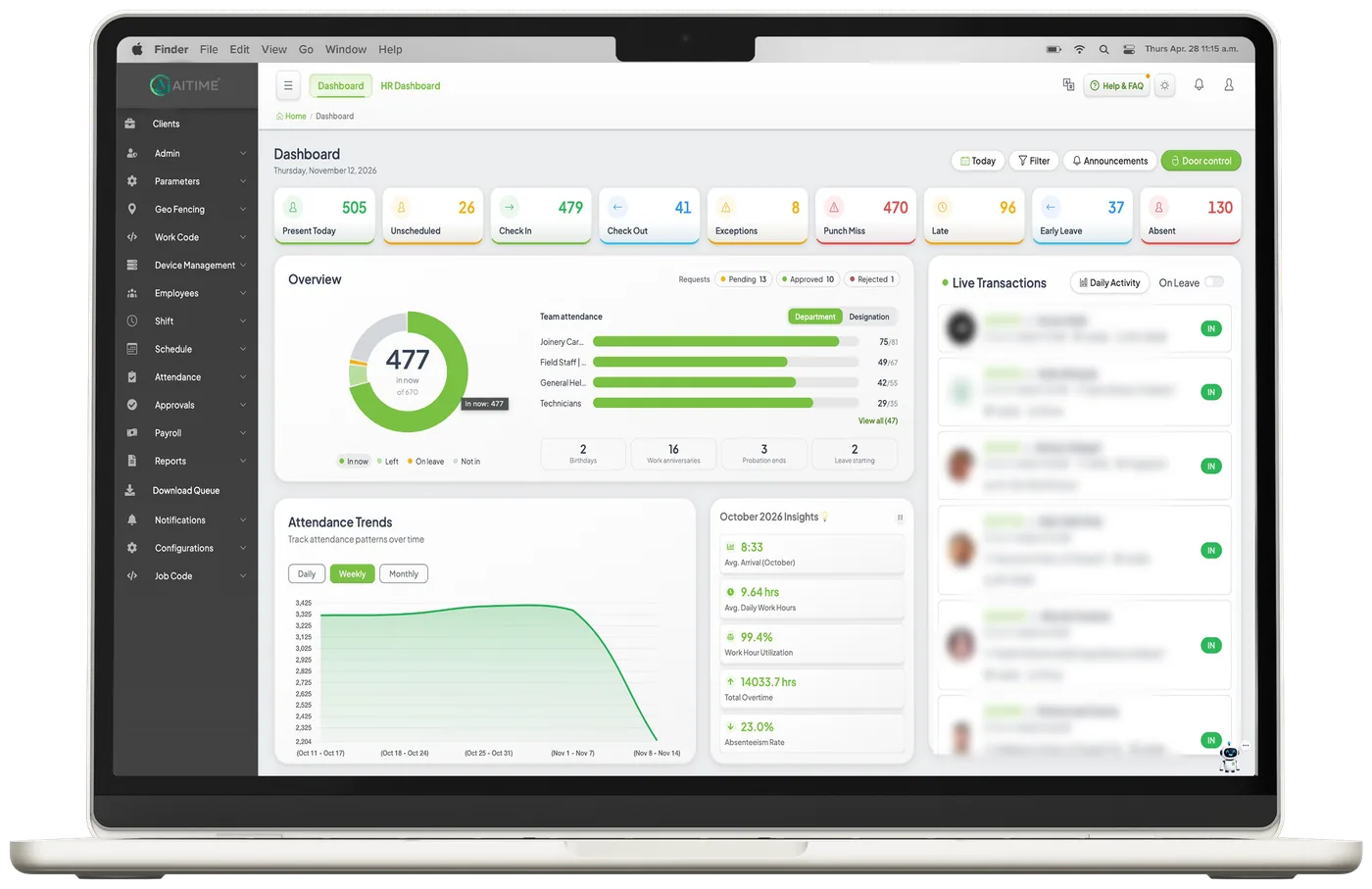
Live Headcount Across Every Client Site
See who is present, late or absent at each site right now, compare sites side by side, and spot missing workers before the client does. Every number is backed by a timestamped punch.
Running construction projects as well? See construction attendance software and workforce analytics.
Related guides
Manpower & Contract Labour Attendance — FAQs
What is the best attendance system for a manpower supply company?+
Can we bill clients from the attendance data?+
Can one worker be deployed to more than one client?+
What if workers do not have smartphones?+
Does it work for construction and remote sites?+
Does contract labour attendance feed into WPS payroll?+
Bill Clients From Real Hours, Not Paper Timesheets
Book a free demo and we will set up a sample client with your sites, shifts and billing rates.